Control Center for Twitter1.2
Publisher Description
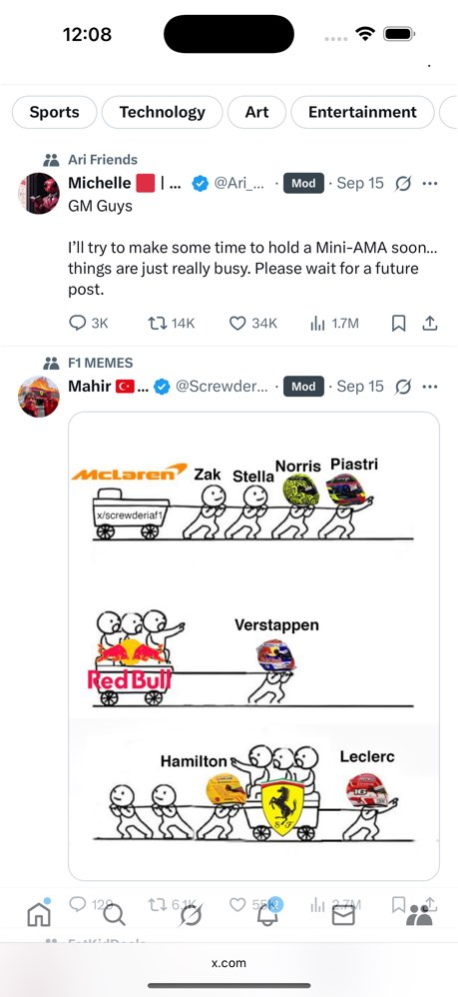


Tired of endless trends, counts, and distractions on Twitter/X? Control Center for Twitter lets you take back control of your timeline and enjoy a cleaner, more peaceful browsing experience.
Features You’ll Love:
.Remove trending topics, “Who to follow,” and sidebar news
.Hide numbers of replies, retweets, likes, and views (hover to reveal)
.Clean up navigation by hiding the “Explore” tab
Customize Your Experience:
.Hide Grok, Jobs, Communities, Premium, and Verified Organizations
.Hide follower and following counts
.Hide reaction numbers on tweets, even on detail pages
.Remove “Who to follow” and “Topics to follow” sections
Focus on the conversations that matter. Reduce clutter. Browse Twitter/X in peace.
TWITTER, TWEET, and RETWEET are trademarks of Twitter, Inc. and its affiliates. This software is not affiliated with or endorsed by Twitter, Inc.
Version History bug fix 1.2 09/17/2025 bug fix 1.1 09/11/2025 1.0 09/10/2025
About Control Center for Twitter
The company that develops Control Center for Twitter is 柱荣 李. The latest version released by its developer is 1.2.
To install Control Center for Twitter on your iOS device, just click the green Continue To App button above to start the installation process. The app is listed on our website since 2026-10-15 and was downloaded 0 times. We have already checked if the download link is safe, however for your own protection we recommend that you scan the downloaded app with your antivirus. Your antivirus may detect the Control Center for Twitter as malware if the download link is broken.
How to install Control Center for Twitter on your iOS device:
- Click on the Continue To App button on our website. This will redirect you to the App Store.
- Once the Control Center for Twitter is shown in the iTunes listing of your iOS device, you can start its download and installation. Tap on the GET button to the right of the app to start downloading it.
- If you are not logged-in the iOS appstore app, you'll be prompted for your your Apple ID and/or password.
- After Control Center for Twitter is downloaded, you'll see an INSTALL button to the right. Tap on it to start the actual installation of the iOS app.
- Once installation is finished you can tap on the OPEN button to start it. Its icon will also be added to your device home screen.
Program Details
System requirements
Download information
Pricing
Version History
version 1.2
posted on 2026-10-15
Version History bug fix 1.2 09/17/2025 bug fix 1.1 09/11/2025 1.0 09/10/2025
version 1.2
posted on 2025-09-17
bug fix
